
Binance to Ledger: withdraw your bitcoin step by step, from any exchange
Whether you are leaving Binance after the October 2026 hack or moving coins off Kraken, Coinbase or another exchange, the method is the same for every hardware wallet: an address verified on the device, the right network, a small test, then the rest. Here is each step, the Binance and Kraken screens as their own help pages describe them, the address formats, the EU rule that makes exchanges ask whether the wallet is really yours, and the scams that target this exact moment.
Published 2 November 2026, updated 14 November 2026 · by Pixel · 13 min read
To move bitcoin from Binance or any exchange to a Ledger: create a receive address in Ledger Wallet (the new name of Ledger Live), check it on the device screen, pick the Bitcoin (BTC) network, never BEP20, and send a small amount first. Ledger, Binance and Kraken help pages checked on 2 November 2026.
Contents 8 parts and a FAQ · 13 min read
- How do you move bitcoin from an exchange to a Ledger?
- How do you get a Ledger receive address and verify it?
- Which network should you pick: BTC or BEP20?
- bc1q, bc1p, 3 or 1: which Bitcoin address will the exchange accept?
- What are the withdrawal fees and minimums, and why test first?
- How do you track the withdrawal on mempool.space?
- Why does the exchange ask whether the wallet is yours?
- Address poisoning: how do you avoid sending your bitcoin to a scammer?
1. How do you move bitcoin from an exchange to a Ledger?
The idea fits in one sentence: the exchange sends your bitcoin on the blockchain to an address that only your device controls. As long as the coins sit in an account, you hold a promise to pay you back, not bitcoin of your own. The October 2026 Binance hack was a reminder, with withdrawals frozen for more than two days, and it is beginner mistake number 2. The steps, in order:
- Get the wallet ready. A device bought new, preferably from the maker, set up by you, with your 24 words written on paper.
- Install the Bitcoin app and add a Bitcoin account in Ledger Wallet. That is the new name of Ledger Live: Ledger’s help pages now say “Ledger Wallet (formerly Ledger Live)”. The app installs from My Ledger and the account from the Accounts tab, according to Ledger’s Bitcoin page.
- Generate a receive address and check it on the device screen.
- On the exchange, open the BTC withdrawal, paste the address and pick the Bitcoin network.
- Send a small amount, track it on mempool.space and wait until it shows up in Ledger Wallet.
- Send the rest, with the same checks.
Expect a few minutes of clicking, plus the exchange’s processing time and the blockchain’s. I use Ledger as the example, but everything applies to any hardware wallet A small device that holds the keys and signs transactions without ever showing them to the computer. Always check on its screen what you approve.: Nano X, Nano S Plus, Stax, or another brand. Only the button names change.
2. How do you get a Ledger receive address and verify it?
In Ledger Wallet on a computer, Ledger’s help page (updated 11 September 2026) gives this path:
- On the home screen, click Receive, then Via Crypto address.
- Pick your Bitcoin account, then Continue.
- Connect and unlock the device, open the Bitcoin app.
- Click Verify: the address appears on the Ledger’s screen. Compare it with the one on the computer, character by character, and approve it on the device if they match.
- Copy the address. Once it is pasted on the exchange, Ledger suggests clicking Re-verify to compare it with the device again.
Why the device screen? Because an infected computer can display or paste an address that is not yours, while the Ledger’s screen is driven by the device, not by the computer. Ledger also offers a “Don’t have your device?” button that creates an address without verification, and says itself that such an address does not get optimal security. For a withdrawal that matters, wait until you have the device in hand.
Ledger Wallet shows a new address every time you receive, and that is expected: on Bitcoin, not reusing addresses protects your privacy, Ledger explains, and old addresses keep working. So you can run the test on one address and the big transfer on another; both land in the same account. Once the address is verified you can even unplug the device, because nothing is sent to the Ledger itself: the coins arrive on the blockchain.
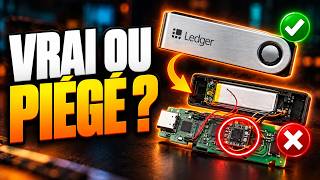
The one thing you cannot skip is your 24 words: written by hand at setup and stored offline (where to store a seed phrase). Neither the exchange, nor Ledger, nor any “support” agent needs them for a withdrawal: never type them on a computer, a phone or a website. Buy the device new, preferably from the maker’s official store: the CryptoBilis case showed that even an authorised reseller can be the weak link. And if you still use a first-generation Ledger Nano S, Ledger warns that it is gradually ending support for it.
With another hardware wallet, nothing changes in principle. At OneKey, the maker’s help centre says you must confirm on the device before the full address is shown, check that it matches the app, pick the right network and start with a small amount. If you do not own a device yet, OneKey is one alternative to Ledger among others: the OneKey store (partner link: I earn a commission at no extra cost to you). Trezor is another; to compare wallet types, see hot vs cold vs hardware wallets.
For miners, this verified address also receives your earnings. On FindMyBlock, the solo pool A server that machines connect to. A regular pool shares the earnings, a solo pool does not. Solo or pool? I run (0% fee), as on other solo pools that write your address into the block, the address you type into the machine receives the reward directly if the machine finds a block: take it from your hardware wallet, never from an exchange. Receiving needs no signature, so the device can stay in a drawer. Settings step by step: solo mining on FindMyBlock.
3. Which network should you pick: BTC or BEP20?
Pick the Bitcoin network, often labelled BTC. Binance’s help page (updated 18 September 2026) lists common networks including BEP20 (BNB Smart Chain), ERC20 (Ethereum), TRC20 (TRON), BTC (the Bitcoin network) and BTC (SegWit), for addresses starting with bc1. Only those last two entries mean the Bitcoin blockchain, the one your Bitcoin account watches.
Other networks sometimes offered for BTC, such as BEP20, do not move bitcoin on Bitcoin: they send a token that represents it on another blockchain, to an address on that chain. Your Bitcoin account will never see it. Binance puts it bluntly: select the network that is compatible with the destination, not the cheapest fee option, and if you select the wrong network your funds might be lost and will not be able to be recovered. Kraken says the same: withdrawing to an incompatible network can result in permanent loss of funds.
And if it goes wrong? According to Ledger, what happens next depends on the network used, the destination address and whether Ledger Wallet supports the asset; Ledger points to case-by-case articles. Be wary of anyone offering to “recover” lost funds: it is a classic scam, and it always ends with a request for your 24 words.
The good news: for most withdrawals, the exchange matches the address to the right network on its own, Ledger notes, while still advising you to check every time. The real trap is pasting the address of another account by mistake, for example a 0x address from an Ethereum or BNB account, thinking it can receive bitcoin. A Bitcoin address starts with bc1, 3 or 1.
4. bc1q, bc1p, 3 or 1: which Bitcoin address will the exchange accept?
A Bitcoin address comes in four formats, which you can tell apart by how they start. Ledger creates a Native SegWit address by default, starting with bc1q, and lets you add the others: Accounts tab, + Add account, Bitcoin, then the Show all address types switch.
| Address starts with | Name | In Ledger Wallet | Kraken withdrawals |
|---|---|---|---|
bc1q |
Native SegWit (P2WPKH) | default for a new account | supported (bc1, bech32) |
bc1p |
Taproot (P2TR) | add it with Show all address types | supported |
3 |
SegWit (P2SH) | added the same way | supported |
1 |
Legacy (P2PKH) | added the same way | supported |
Ledger says you can send bitcoin from one format to another without any problem; only in rare cases does an exchange accept deposits from a single format. For withdrawals, Kraken supports all four formats. Binance’s help page only names the BTC (SegWit) network for bc1 addresses and says nothing about Taproot addresses: one more reason to send a test first. If an exchange rejects your address with an “invalid address” error, Kraken explains that the format may not be supported yet; nothing has left, nothing is lost. Unless you have a specific reason, keep the default bc1q format, which Ledger describes as widely used.
5. What are the withdrawal fees and minimums, and why test first?
Each exchange sets its own withdrawal fees and minimums, which differ by network and change over time, so I give no figures here: read the screen when you withdraw. On Binance, entering the amount shows the network fee and the final amount received, and you choose between “Receive amount” (the fee is added) and “Withdrawal amount” (the fee is deducted). On Kraken, the amount must meet the minimum withdrawal, or the transaction is refused, and each network has its own fees.
| Step | Binance (app) | Kraken (kraken.com) |
|---|---|---|
| Open the withdrawal | Assets, Overview, Send, then Withdraw Asset | Portfolio tab, then the Withdraw button |
| Network | BTC, or BTC (SegWit) for a bc1 address; never BEP20 | Bitcoin, the same one your receiving wallet uses |
| Fees and minimum | shown once you enter the amount | minimum withdrawal applies, fees differ by network |
| New address | a safety pop-up suggests a small amount first | paste it or scan the QR code with your webcam |
| Approval | slide to confirm, then passkey or 2FA | funding 2FA code, separate from sign-in 2FA |
| Good to know | changing the whitelist can freeze withdrawals for 24, 48 or 72 hours | withdrawals can be held up to 72 hours after a card or PayPal purchase |
The small test costs one extra withdrawal fee, but it is the cheapest insurance there is. Binance suggests it the first time you use an address, and so do Ledger (“always send a small amount first”) and OneKey. Pick an amount above the withdrawal minimum that you could afford to lose, wait until it has arrived, then send the rest to an address verified on the device the same way.
6. How do you track the withdrawal on mempool.space?
A withdrawal goes through two stages. First, the exchange processes the request: Binance asks you to wait for it, and Kraken sends no email, you follow the status in the Activity tab. Then the transaction goes out on the blockchain.
To follow it, paste the transaction ID (txid), if the exchange shows it, or your receive address into the search box at the top right of mempool.space. Until it is in a block, it waits in the mempool, the queue of unconfirmed transactions. According to the site’s FAQ, a higher fee rate (in sat/vB) generally means a quicker confirmation, and a transaction will always either confirm completely or not at all. On a withdrawal, that rate is not yours to set: you pay the fee the exchange shows.
A confirmation means the transaction made it into a block. The network aims for one block every ten minutes on average, but the gap between blocks varies a lot. The payment then shows up in your Ledger Wallet account. For the test, one confirmation is enough: its only job is to prove the address is right. For the big transfer, treat the job as done only once the transaction is confirmed.
7. Why does the exchange ask whether the wallet is yours?
It is not the exchange being fussy, it is EU law. Regulation (EU) 2023/1113 of 31 May 2023, on information accompanying transfers of funds and certain crypto-assets, has applied since 30 December 2024 (Article 40). It calls a “self-hosted address” an address that is not linked to any crypto-asset service provider, or to a similar entity based outside the Union: that is what your Ledger address is.
Two rules affect you:
- For every withdrawal to your own wallet, the exchange must obtain and hold the information on you and on the beneficiary, and be able to identify the transfer (Article 14(5)). Hence the questions at withdrawal time: who owns this address?
- Above €1,000, it must also take adequate measures to assess whether the address is owned or controlled by you. The same rule applies the other way, for a deposit from your wallet (Article 16(2)).
The regulation speaks of “adequate measures” without prescribing a method, so each exchange has its own. For EU clients, Kraken offers a one-click self-certification confirmed with 2FA, or a Satoshi test: sending the exact amount requested from your wallet to a Kraken verification address within 180 minutes. That test assumes your wallet already holds a little bitcoin, since you have to send from it. A verified address is not checked again. On Binance, the withdrawal address book lets you mark an address as a personal wallet (help page). Being able to prove an address is yours also helps the day a large payment lands: see the found-a-block guide.
What is never part of these checks: your 24 words. No reputable exchange and no EU rule asks for them. General information, not legal advice, checked on 2 November 2026 on EUR-Lex and the help pages quoted.
8. Address poisoning: how do you avoid sending your bitcoin to a scammer?
Address poisoning means sending small transactions from addresses that closely resemble a legitimate one, so that they show up in your history, explains Ledger Academy. The scammer hopes that one day you will copy their address from your history, mistaking it for one you know. Ledger notes that a variant exists on Bitcoin. The trick was even aimed at the Binance hacker, as I describe in the hack news story.
How to defend yourself:
- Never copy an address from a history. Trezor spells it out for your wallet’s history and for a block explorer’s, and the same caution applies to the exchange’s withdrawal history. Generate the address in Ledger Wallet every time and check it on the device.
- Check the whole address, not just the first and last characters: that is exactly what the scammer imitates.
- Check it again after pasting: Ledger advises making sure the address did not change after copy and paste, because malware can swap a copied address.
- Save the verified address to a whitelist if the exchange offers one. On Binance, once the whitelist is on, withdrawals only go to listed addresses; editing the list can freeze withdrawals for 24, 48 or 72 hours, so set it up before you need it.
Be wary of messages that arrive at just the right moment, too: fake support reaching out first, a fake “migration” to a safe wallet, a fake recovery site. The reflex is the same for all of them: act only from the app or website you opened yourself, and give your 24 words to no one.
Frequently asked questions
How do I transfer crypto from Binance to Ledger?
In Ledger Wallet, click Receive, pick the account and check the address on the Ledger’s screen. In the Binance app, open Assets, Overview, Send, then Withdraw Asset, paste the address, choose the BTC network for bitcoin and send a small amount first. For another coin, pick the network that matches the receiving Ledger account.
How much does it cost to send bitcoin from Binance to a Ledger?
Binance shows the network fee and the final amount received as soon as you enter the amount; it depends on the network and changes over time. Receiving on your Ledger costs you nothing. The small test means paying one extra withdrawal fee, the price of peace of mind.
What happens if I choose the wrong network?
The funds go to another blockchain and your Bitcoin account does not see them. Binance warns they may be lost for good; Ledger explains that what happens next depends on the network and address used. Never give your 24 words to someone offering to recover them.
Can I withdraw from Binance to a OneKey wallet?
Yes, the method is the same as for a Ledger: in the OneKey app, pick the account and the network, confirm on the device to see the full address, check it matches, then withdraw from Binance on the matching network with a small test first, as OneKey’s help centre recommends.
Should I take my crypto off Binance?
That is your call, and this is not investment advice. On an exchange you depend on the exchange: after the October 2026 hack, Binance froze withdrawals from 30 October to 1 November. In a wallet whose keys you hold, nobody can freeze your coins, but you alone are responsible for them.
Was Ledger Live renamed?
Yes: the app is now called Ledger Wallet, and Ledger’s help pages say “Ledger Wallet (formerly Ledger Live)”. Download it only from Ledger’s official website: in April 2026, a fake app imitating Ledger Live was even offered on the Mac App Store to steal recovery phrases (see the CryptoBilis case and the other incidents).
Sources
- Ledger, receiving crypto in Ledger Wallet (verifying the address on the device)
- Ledger, withdrawing from an exchange: choosing the right network
- Ledger, Bitcoin address formats in Ledger Wallet
- Binance, how to withdraw crypto (help page, French version)
- Kraken, supported address formats for crypto withdrawals
- Kraken, crypto transfer procedures for EU clients (Travel Rule)
- EUR-Lex, Regulation (EU) 2023/1113 on crypto-asset transfers (French text)
- Ledger Academy, address poisoning attacks
A question about this guide? Ask it on the Discord, several of us answer there.
Other guides
-
 Hot, cold or hardware wallet: which one should you choose?
Online, offline or on a dedicated device: what sets them apart, and which to pick for your use.
5 min read · published 17 Oct 2026
-
 Booby-trapped Ledgers: the CryptoBilis case and how to stay safe
A spy chip stole the 24 words: what was really attacked, the other incidents, and the right moves for your situation.
7 min read · published 17 Oct 2026
-
 Bitcoin: 5 mistakes that can cost you everything
Recovery phrase, exchanges, fees, scams, panic: the five beginner traps, and how to avoid them.
5 min read · published 17 Oct 2026
-
 Where to store your seed phrase: paper, steel or titanium?
Paper, steel or titanium: where to keep your 12 or 24 words, and what never to do.
15 min read · updated 14 Nov 2026 · new