
Rent out your Bitaxe on MiningRigRentals
Solo is all or nothing. MiningRigRentals offers something else: renting your machine’s hashrate to someone who wants to mine on a specific pool. During the rental you get paid, whether the renter finds a block or not. The rest of the time, your machine keeps trying its luck on your usual pool.
Published 11 October 2026 · by Pixel · 3 min read
 5:21
5:21
Contents 8 parts · 3 min read
1. How it works
MiningRigRentals, or MRR, is a bit like Airbnb for hashrate Computing power: the number of attempts per second of a machine or of the whole network. The higher it is, the more tickets you play in each draw.. On one side, people who want to mine on a specific pool A server that machines connect to. A regular pool shares the earnings, a solo pool does not. Solo or pool? without owning the hardware. On the other, you, with your Bitaxe, NerdQAxe or Avalon Nano.
- When nobody is renting, your machine mines on your usual pool, for example FindMyBlock.
- When someone rents it, MRR automatically sends its hashrate to the renter’s pool, and you are paid in bitcoin, or another coin, for the whole rental, block or no block.
It is a way to smooth your income, especially with small machines. The amounts stay in line with the hashrate rented.
2. Account and payout address
Create an account (email and password). Once logged in, the very first thing to do: Settings, then Payment settings, and enter the address where you want your earnings. Use an address from your own wallet, non-custodial Said of a service that never holds your bitcoin: the reward goes straight to your address., not one from an exchange.
3. Create the rig
The rig is your machine’s profile. Go to My Rigs, then Create new rig, and be precise:
a clear name: Bitaxe Gamma 601 EU, Avalon Nano 3S HomeSHA256, Bitcoin’sthe closest MRR server: EU1 or EU2 from Francethe real figure: 1.2 TH/s (1,200 GH/s) for a Gamma, 6 TH/s for an Avalon Nano 3SBe honest about the hashrate: MRR measures what the machine really delivers, and an inflated figure lowers your reliability score.
4. Set the price
MRR suggests an average market price. At first, the trick is not to be the most expensive but to build a history and a good rating: go slightly below the suggested price for your first rentals. Also set a minimum and maximum rental length, for example between 12 h and 72 h.
5. The backup pool
You need to tell MRR what to do with your machine when nobody rents it. In your rig’s Pools section, add your usual pool and save: it is the one that will work most of the time. To mine solo on mine: the FindMyBlock settings.
6. Connect the machine to MRR
On your rig’s page, the Connection information section gives a Stratum The language machines and pools speak. URL and a worker name, often your username, a dot, then the rig number.
- Bitaxe (AxeOS The open-source Bitaxe software, set from a browser: pool, frequency, voltage, fan. Update it): in the Stratum settings, paste the MRR URL, use the MRR worker as the user and the password shown, then save.
- Avalon Nano 3S: in the pool configuration, replace pool 1 with the MRR details.
From now on your machine only talks to MRR’s servers, and MRR switches it between rentals and your backup pool.
7. Go live
Let it run for 5 to 10 minutes: on your MRR dashboard the rig should turn green, with its live hashrate. Then tick the box that makes it available for rent: your machine is on the market.
8. The other way round: renting to try for a block
MRR also works in reverse: you can rent hashrate for a few hours, point it at the pool of your choice and temporarily boost your odds. Renters have already landed a whole block this way. But it is no guarantee: it is variance, and most rentals find nothing.
A question about renting, either way? Ask it under the video or on Discord.
A question about this guide? Ask it on the Discord, several of us answer there.
Other guides
-
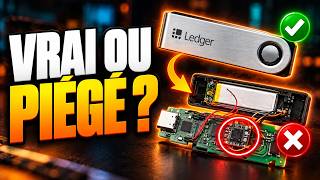 Booby-trapped Ledgers: the CryptoBilis case and how to stay safe
A spy chip stole the 24 words: what was really attacked, the other incidents, and the right moves for your situation.
7 min read · published 17 Oct 2026 · new
Booby-trapped Ledgers: the CryptoBilis case and how to stay safe
A spy chip stole the 24 words: what was really attacked, the other incidents, and the right moves for your situation.
7 min read · published 17 Oct 2026 · new -
 Bitcoin: 5 mistakes that can cost you everything
Recovery phrase, exchanges, fees, scams, panic: the five beginner traps, and how to avoid them.
5 min read · published 17 Oct 2026 · new
Bitcoin: 5 mistakes that can cost you everything
Recovery phrase, exchanges, fees, scams, panic: the five beginner traps, and how to avoid them.
5 min read · published 17 Oct 2026 · new -
 Hot, cold or hardware wallet: which one should you choose?
Online, offline or on a dedicated device: what sets them apart, and which to pick for your use.
5 min read · published 17 Oct 2026 · new
Hot, cold or hardware wallet: which one should you choose?
Online, offline or on a dedicated device: what sets them apart, and which to pick for your use.
5 min read · published 17 Oct 2026 · new -
 Fake Bitcoin miners: the ESP32 lottery miner trap
An ESP32 is not a mining chip: three questions so you never pay $50 for a device that would take 55 billion years to find a block.
5 min read · published 17 Oct 2026 · new
Fake Bitcoin miners: the ESP32 lottery miner trap
An ESP32 is not a mining chip: three questions so you never pay $50 for a device that would take 55 billion years to find a block.
5 min read · published 17 Oct 2026 · new