
Solo mining with Bitcoin Core: your node, your pool, your Bitaxe
Solo mining on your own node means running at home the three pieces a pool usually lends you: Bitcoin Core, which checks the chain and prepares blocks, a small pool program, and your machine. This is the path of my video (in French): Bitcoin Core on Windows, ckpool in Docker, a Bitaxe pointed at it. Here is every step, the exact settings, and what you must never open to the internet.
Published 28 October 2026 · by Pixel · 11 min read
 6:04
6:04
You need an always-on PC, a synced Bitcoin Core 31.1 node (about 780 GB of blocks on 27 October 2026, per blockchain.com), ckpool in solo mode, and your Bitaxe pointed at the PC’s address, port 3333. The node earns nothing by itself: only a found block pays.
Contents 9 parts and a FAQ · 11 min read
- Why mine on your own node, and what does it earn?
- What do you need?
- How do you install Bitcoin Core and verify the file?
- What goes in bitcoin.conf?
- How do you install the solo pool (ckpool)?
- How do you connect the Bitaxe and check everything works?
- Security: what must you never open?
- Bitcoin Core or Bitcoin Knots?
- Easier with Umbrel, zero upkeep with FindMyBlock
1. Why mine on your own node, and what does it earn?
For me the reason is the one on my about page: the wish to depend on no one (my machines, my node A computer that keeps a full copy of Bitcoin and checks every block itself. Run your own node, my pool A server that machines connect to. A regular pool shares the earnings, a solo pool does not. Solo or pool?), and my way of taking part, at my scale, in the decentralisation of the network. In practice, on your own node:
- No middleman. The pool software runs at home. In solo mode, ckpool writes your machine’s address into the block: if it finds one, the whole reward goes to that address, minus any donation you set yourself (ckpool-solo README).
- Your own block template. Your node picks the transactions of the block your machine is trying to find, by its own rules, not a pool’s.
- One more node on the network, checking every block and every transaction itself.
What it earns: nothing extra. A Bitcoin node earns nothing by itself; it gets no fee and no reward for its verification work. Only a found block pays, and your odds are exactly the same as on any solo pool: they depend only on your machine’s hashrate Computing power: the number of attempts per second of a machine or of the whole network. The higher it is, the more tickets you play in each draw.. A Bitaxe Gamma (1.2 TH/s rated) has about a 1 in 16,000 chance a year of finding a block (network as of 17 October 2026), a block worth about €227,000 on average. Your own case: the solo mining calculator. Why solo and pool pay the same on average: solo or pool.
On the cost side, the PC running the node draws power day and night: every 10 W left on around the clock costs about €18 a year at €0.20 per kWh. So running your node does not make money; it buys independence.
2. What do you need?
- A PC or mini PC that stays on. If the PC goes off, your pool stops and your Bitaxe stops mining. Bitcoin Core 31.1 is tested from Windows 10 (version 1903), macOS 14 and Linux (31.1 release notes).
- A large enough SSD. The Bitcoin blockchain weighed about 780 GB on 27 October 2026 and grows by about 250 MB a day (blockchain.com). A 1 TB SSD is still enough, but the margin is shrinking: the node also stores its indexes on top of the blocks, and Windows takes up space too if it is on the same drive. If you are buying the drive now, get 2 TB. An SSD rather than a hard drive, so the sync does not drag on forever.
- Memory. bitcoin.org recommends at least 2 GB of RAM for Bitcoin Core alone (system requirements). With Windows and Docker Desktop on top, my video’s description says 8 GB minimum.
- An uncapped connection. Again per bitcoin.org, plan for about 5 GB a day uploaded to other nodes, and the first sync downloads the whole chain.
- Docker Desktop and Git, to fetch and run ckpool. Both are free for personal use.
- A Bitcoin address from a wallet you hold the keys to: that is where the block would be paid (which wallet).
What about a pruned node? Pruning (the prune option) saves disk, not download: bitcoin.org says a node set up for 7 GB of disk still downloads the whole chain once. The ckpool README does not mention pruning. The calls ckpool makes to the node, such as getblocktemplate and submitblock, do not need old blocks, so a pruned node should work, but its documentation does not say so: if you have the room, keep a full node.
On a Raspberry Pi? For the node, yes: umbrelOS installs on a Raspberry Pi 5, and Umbrel advises booting it from an NVMe or USB SSD rather than a microSD card. That is the Umbrel route, covered below, rather than this guide’s.
3. How do you install Bitcoin Core and verify the file?
- Download Bitcoin Core from bitcoincore.org, the project’s site. On 28 October 2026 the latest version is 31.1, released on 8 July 2026. On Windows the file is
bitcoin-31.1-win64-setup.exe. - Verify the file before opening it. Also download
SHA256SUMSandSHA256SUMS.asc. The commandcertUtil -hashfile bitcoin-31.1-win64-setup.exe SHA256prints the file’s SHA-256 The hash calculation Bitcoin uses, and so mining. Bitcoin Cash uses the same one: the same machines mine either. checksum: it must appear, character for character, in SHA256SUMS. Then, with GPG installed,gpg --verify SHA256SUMS.asc SHA256SUMSchecks that the list was signed by several developers. The download page details each step. - Install, then start Bitcoin Core. On first launch, pick the data folder on your large SSD.
- Let it sync. The node downloads and checks every block since 2009. Expect several hours to several days depending on the PC, the disk and the connection; my video’s description says 1 to 3 days. It is not a fault.
You can prepare the next steps during the sync, but the pool can only give the Bitaxe work once the node is up to date.
4. What goes in bitcoin.conf?
The bitcoin.conf file does not exist at first: create it in the data folder. On Windows its default location is %LOCALAPPDATA%\Bitcoin\bitcoin.conf, that is C:\Users\your-name\AppData\Local\Bitcoin\bitcoin.conf (Bitcoin Core documentation). Per its README, ckpool needs at least server, rpcuser and rpcpassword; it also listens for new blocks over ZMQ, through the node’s zmqpubhashblock option. For Windows, with ckpool in Docker Desktop on the same PC, here is the file from my video’s description, with the ZMQ line ckpool asks for in place of the two original ZMQ lines:
server=1
rpcuser=youruser
rpcpassword=a-long-unique-password
rpcallowip=127.0.0.1
rpcport=8332
zmqpubhashblock=tcp://127.0.0.1:28332server=1turns on the RPC interface, through which ckpool asks for block templates and submits a found block.rpcuserandrpcpasswordare the credentials you will copy into ckpool. Pick a long, unique password: the Bitcoin Core documentation points out that they travel in clear text.rpcallowip=127.0.0.1andrpcport=8332keep RPC on the PC itself, on its usual port.zmqpubhashblocktells ckpool the moment a new block arrives, on port 28332, which it listens to by default. The video’s description listszmqpubrawblockandzmqpubrawtx: those are notifications other software uses (Public Pool, for instance, listens to zmqpubrawblock), but the ckpool README asks for zmqpubhashblock.
On Linux, the docker-ckpool README has the node listen on the Docker gateway address. Bitcoin Core ignores rpcbind without rpcallowip; Public Pool’s example file opens 172.16.0.0/12 for Docker containers (.env.example). That gives:
rpcbind=127.0.0.1
rpcbind=172.17.0.1
rpcallowip=127.0.0.1
rpcallowip=172.16.0.0/12
zmqpubhashblock=tcp://172.17.0.1:28332
Save, then restart Bitcoin Core: it only reads its file at startup.
5. How do you install the solo pool (ckpool)?
ckpool is Con Kolivas’s pool software, the one that runs Solo CK. My video uses docker-ckpool, a repository that builds it in a Docker container from ckpool-solo, a version with a configurable donation. The container starts ckpool with the -B option, BTCSOLO mode: every username must be a valid Bitcoin address, and the block goes to whoever finds it.
- Fetch the repository, in a terminal:
git clone https://github.com/golden-guy/docker-ckpool.git, thencd docker-ckpool. - Open
conf/ckpool.confand change these fields, leaving the others alone:
your rpcuseryour rpcpassword0, 1 or more (1 in the supplied file)a signature of your own, e.g. /my node/- donrate is a donation, as a percentage of the block, sent to the
donaddressalready filled in the file: 1% in the supplied file, 0 to 10% allowed, 0 for none. It is your call, but make it knowingly. My video’s description uses"donation": this ckpool version does not read that word,donrateis what counts. - url stays
ckpool.local:8332: in the repository’sdocker-compose.yml, that name points to the PC running Docker, so to your node.zmqblockpoints the same way, on port 28332. - btcaddress can stay as it is: the README says it is ignored in BTCSOLO mode.
- Build the image:
docker build -t docker-ckpool . - Start the pool:
docker compose up -d. To change the configuration later, stop the container first (docker compose stop), edit, then start it again (docker compose start).
The other common option: Public Pool. Public Pool is a Stratum The language machines and pools speak. server written in TypeScript for Node.js, with a web interface offered separately. It is set up in a .env file (the node’s RPC address, credentials and port, ZMQ optional) and takes miners on port 3333 in its example file. It is the one you install in one click on Umbrel.
6. How do you connect the Bitaxe and check everything works?
On the PC, type ipconfig in a terminal and note the network card’s IPv4 address, for example 192.168.1.20. Reserve it in your router if you can, so it does not change. The pool expects your machines on stratum+tcp://<PC address>:3333. In AxeOS
The open-source Bitaxe software, set from a browser: pool, frequency, voltage, fan. Update it, on the Pool page:
the PC’s IPv4 address, e.g. 192.168.1.203333your-bitcoin-address.bitaxe1xckpool splits the username at the first dot (or the first underscore): the address is used for payment, the rest names the machine. The full AxeOS walkthrough is in Set up a Bitaxe. Since your pool now depends on your PC, also set a fallback pool: if the PC restarts, the Bitaxe keeps mining elsewhere.
- The node is up to date: in the Bitcoin Core console or with
bitcoin-cli getblockchaininfo,verificationprogressis close to 1 andinitialblockdownloadis false (getblockchaininfo documentation). - ckpool is running:
docker compose logsshows its log, which is also written to the repository’slogsfolder (ckpool.log). A file named after your address appears inlogs/usersonce a machine sends shares An attempt good enough to be counted by the pool. It proves your machine is working, even if it is not enough to find a block.. - The Bitaxe is mining: in AxeOS the hashrate shows up and accepted shares climb.
If the Bitaxe does not connect, check the IP address and the port, then Windows Firewall: per Docker’s documentation, the com.docker.backend.exe program is what receives the connections and what the firewall filters. Allow it on private networks. For other symptoms: Bitaxe not hashing.
7. Security: what must you never open?
- Never expose RPC to the internet. The Bitcoin Core documentation is blunt: RPC controls the node and its wallet, its credentials travel in clear text, and it is not built to take internet traffic. Never forward port 8332 on your router, and never write
rpcallowip=0.0.0.0/0. - The Stratum port stays on your local network. Docker publishes ports on all of the PC’s interfaces by default (Docker Desktop documentation): that is what lets the Bitaxe reach the pool, but do not forward port 3333 on your router.
- A strong, unique RPC password, used nowhere else. The Bitcoin Core documentation actually prefers the
.cookiefile it creates by itself; fixed credentials are a last resort, handy here because ckpool runs in a container. - A PC that is yours alone, not a shared computer: anyone in control of the machine is in control of the node.
- Update Bitcoin Core and ckpool when a new version comes out, verifying the download each time.
8. Bitcoin Core or Bitcoin Knots?
Both run a full node, and both work for solo mining: ckpool talks to them with the same RPC calls.
Bitcoin Core is the network’s reference software (bitcoincore.org, version 31.1). Bitcoin Knots is a derivative, with Luke Dashjr as lead maintainer: its README explains that development mostly happens in Bitcoin Core and is merged into Knots for each release. On 28 October 2026, bitcoinknots.org offers version 29.4.3.knots20260508.
The 2025 debate is about data (OP_RETURN). Bitcoin Core 30.0, released on 10 October 2025, raised the default -datacarriersize limit to 100,000 bytes, which in effect lifts it, and allows several OP_RETURN outputs per transaction; you can go back to the old limit with -datacarriersize=83 (30.0 release notes). The change was debated. Knots keeps the 83-byte limit by default (Knots 29.x policy.h).
What it changes for a solo miner. These are relay rules, not consensus rules: both programs accept the same valid blocks. But your node fills your block template, and these rules apply to mining too: with Knots, or with Core set to 83, your block will leave out transactions whose OP_RETURN data exceeds 83 bytes. One caution if you pick Knots: its site explains that an old version can expire, and reminds you that obsolete versions are no longer maintained. For a mining node that runs unattended, update it in time.
9. Easier with Umbrel, zero upkeep with FindMyBlock
Umbrel does the same job with no files to write: you install Bitcoin Node, then Public Pool, from its app store, and Public Pool configures itself for your node. The full walkthrough is in Install Umbrel on Windows to mine solo.
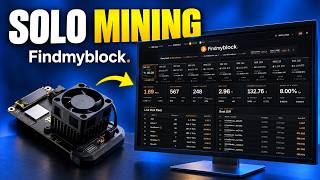
FindMyBlock, at the other end, needs no node and no PC left on. Disclosure: it is my pool. It charges a 0% fee and is non-custodial
Said of a service that never holds your bitcoin: the reward goes straight to your address., the reward goes straight to the miner’s address, and it takes three fields on stratum+tcp://eu.findmyblock.xyz:3335 (the settings). You then rely on my server instead of yours: the very opposite of this guide, and your choice to make. The other solo pools, with their fees, are in the solo pool comparison.
And if one day your machine finds a block, on your node or elsewhere: what to do next. A setup question? Discord is there.
Frequently asked questions
Does a Bitcoin node earn money?
No. A node checks blocks and transactions, but it is paid nothing for that work. Only a block found by your machine pays, and your odds are the same on your own node as on any solo pool.
Can you solo mine with a pruned node?
The ckpool README does not say. Its calls to the node do not need old blocks, so it should work, but its documentation does not guarantee it: keep a full node if you have the room. Pruning saves disk, not the initial download.
Bitcoin Core or Knots for solo mining?
Both work with ckpool. The difference lies in relay rules, notably the OP_RETURN limit, which Bitcoin Core 30.0 lifted by default in October 2025 and Knots keeps at 83 bytes: they decide which transactions your node puts in your block.
Do you have to wait for the sync to finish before connecting the Bitaxe?
You can install everything during the sync, but the pool will only give the Bitaxe work once the node is up to date. Meanwhile, leave the Bitaxe on another solo pool.
Is a Raspberry Pi enough for a Bitcoin node?
For the node, yes: umbrelOS installs on a Raspberry Pi 5, ideally booted from an NVMe or USB SSD rather than a microSD card, according to Umbrel. Plan for a 1 to 2 TB SSD.
Sources
- Bitcoin Core, download page: version 31.1 and file verification
- docker-ckpool, the repository used in the video: node settings, donation, port 3333
- ckpool-solo, README: BTCSOLO mode and ckpool.conf options
- Bitcoin Core, JSON-RPC interface: the security section
- Bitcoin Core 30.0 release notes: the new OP_RETURN limit
- Bitcoin Knots, official site: version and verification
- bitcoin.org, Bitcoin Core system requirements
- blockchain.com, Bitcoin blockchain size day by day
A question about this guide? Ask it on the Discord, several of us answer there.
Other guides
-
 Install Umbrel on Windows to mine solo at home
Your own Bitcoin node and your own solo pool on a Windows PC, step by step.
4 min read · published 11 Oct 2026 · new
Install Umbrel on Windows to mine solo at home
Your own Bitcoin node and your own solo pool on a Windows PC, step by step.
4 min read · published 11 Oct 2026 · new -
 Bitcoin solo mining: the complete guide
Your real odds, the small miners who won, the pool and the settings.
11 min read · published 28 Oct 2026 · new
Bitcoin solo mining: the complete guide
Your real odds, the small miners who won, the pool and the settings.
11 min read · published 28 Oct 2026 · new -
 Best solo mining pool: Bitcoin and Bitcoin Cash pools compared
Fees, payout and servers of Bitcoin and Bitcoin Cash solo pools, checked and dated.
13 min read · published 28 Oct 2026 · new
Best solo mining pool: Bitcoin and Bitcoin Cash pools compared
Fees, payout and servers of Bitcoin and Bitcoin Cash solo pools, checked and dated.
13 min read · published 28 Oct 2026 · new -
 Set up a Bitaxe step by step: Wi-Fi, AxeOS and pool
From power-up to the first share: Wi-Fi, AxeOS, every pool field and quick fixes.
10 min read · updated 28 Oct 2026
Set up a Bitaxe step by step: Wi-Fi, AxeOS and pool
From power-up to the first share: Wi-Fi, AxeOS, every pool field and quick fixes.
10 min read · updated 28 Oct 2026